
This post may contain affiliate links, from which we earn an income. Click here to read our affiliate policy.
A European road trip is often planned around the big pieces first: the route, the ferry, the campsites, the mountain passes, the cities worth detouring for. Yet the parts that usually cause trouble are smaller and less romantic. A toll app that will not load at the border. A campsite message hidden in your inbox. A navigation reroute just as you leave the motorway. A parking zone sign you cannot translate while traffic builds behind you.
For a road trip through Europe, being connected is not about scrolling at a lakeside pitch. It is about keeping the journey moving when the plan changes. If your trip crosses countries, uses ferries, passes through toll systems or mixes campsites with city stops, mobile access becomes part of the road kit in the same way as breakdown cover, offline maps and a decent charging cable.
Enjoy The Gap Decaders? Add us as a preferred source on Google.

Start With the Journey, Not the Destination
A road trip itinerary can look simple on paper: Calais to Bruges, Bruges to the Moselle, then down through the Black Forest, Switzerland or the Alps. The reality is that each travel day has several small decision points. Which lane do you need for the toll? Is the campsite reception open late? Can you park near the old town with a high vehicle? Has the ferry operator sent an update?
Before you leave, go through the route day by day and identify the moments where you may need mobile data on the move. These are usually not the scenic stops. They are the service areas, city approaches, borders, ferry ports and campsite arrivals.
Create a simple “travel day” note for each driving day with the key details: destination address, check-in time, booking reference, contact number, height restrictions, parking instructions and a backup stop. Save it offline. If the passenger is navigating, share the same note with them. If you are travelling solo, keep it easy to find before setting off rather than trying to search emails at the roadside.
Do Not Let Navigation Depend on One App
Online maps are excellent until they are not. Road closures, low-emission zones, mountain weather, tunnels and city diversions can all change the route. A campervan or motorhome also has extra considerations that a normal car route may ignore.
Download offline maps for the countries or regions you will be driving through. This gives you a fallback if signal drops in rural areas, mountains or long tunnels. It is also worth saving the coordinates for remote campsites and aires, especially where the postal address covers a wider rural area.
Do not rely on one navigation system for everything. A sensible setup might include a main sat nav or mapping app, a separate campsite or aire app, and saved offline maps as a backup. If your vehicle is larger than a standard car, check route suitability before blindly following the fastest option. Narrow village streets and steep access roads are not funny when you are already tired.
For city stops, search for parking before arrival. Many European cities have restricted centres, resident-only streets, height limits and low-emission zones. The connected part of planning is not only live navigation; it is being able to check rules before you commit to a route you cannot easily reverse.

Treat Borders as Practical Checkpoints
Many European borders feel uneventful, particularly within the Schengen Area, but a road trip still changes slightly when you cross from one country to another. Toll rules may change. Fuel prices may shift. Parking apps may be different. Environmental stickers, motorway vignettes and road regulations can vary.
Add a border note to your itinerary. It does not need to be complicated. For each country, check the basics: speed limits for your vehicle type, toll or vignette requirements, emergency numbers, required driving kit, fuel naming, and whether city access restrictions apply to your route.
Mobile data becomes useful here in a very ordinary way. It lets you confirm a toll instruction before the gantry, translate a road sign at a service stop, find the nearest fuel station after crossing, or message a campsite when a delay pushes your arrival later than expected. None of that is exciting, but it is exactly what keeps a road trip from turning into a sequence of small irritations.
Sort Mobile Access Before the Ferry Queue
The worst time to solve phone connectivity is when you are already moving: waiting to disembark, driving away from a ferry port, or approaching a city ring road with tired passengers and a sat nav recalculating. Check your roaming terms before departure, especially if your route moves through several countries or includes Switzerland, the Balkans, or other areas where coverage and charges may differ by plan.
Keep your connectivity setup boring and tested. Know which phone will be used for navigation, which one has the campsite bookings, and how both will stay charged on longer driving days. If a trip begins with an early ferry or late Eurotunnel crossing, sorting Europe travel eSIM activation on arrival belongs with the same pre-drive admin as downloading maps, saving port directions and packing the vehicle documents within reach.
That sentence should not be mistaken for a reason to skip backups. A connected phone is still just one layer. Offline maps, screenshots, printed insurance details and a second charging cable are what stop one failed battery or lost signal from becoming a bigger problem.

Make Campsite Arrivals Easier Than They Need to Be
Campsite and aire arrivals are where small details matter. Some sites have barrier codes. Some close reception for a long lunch. Some require messaging before arrival. Others have specific instructions for larger vehicles or late check-in.
Before each drive, save the arrival details separately from the booking confirmation. Booking emails can be long, cluttered or hidden inside an app. What you need on arrival is usually simple: address, coordinates, check-in time, pitch number if assigned, gate code, reception phone number and any instruction about where to stop before entering.
If you are staying at aires, stellplätze or municipal stops, keep a backup option within a realistic distance. The first choice may be full, closed, unsuitable for your vehicle, or simply not where the app marker suggests. A connected phone helps you check alternatives, but having two already saved prevents the tired late-afternoon search that turns a pleasant driving day sour.
For remote sites, do not assume there will be a strong signal at the pitch. Send any necessary arrival messages before you leave the main road or while you are still near a town.
Keep the Cab Charged and Organised
Connectivity on a road trip is partly about power and cable discipline. It sounds dull because it is dull, but it matters.
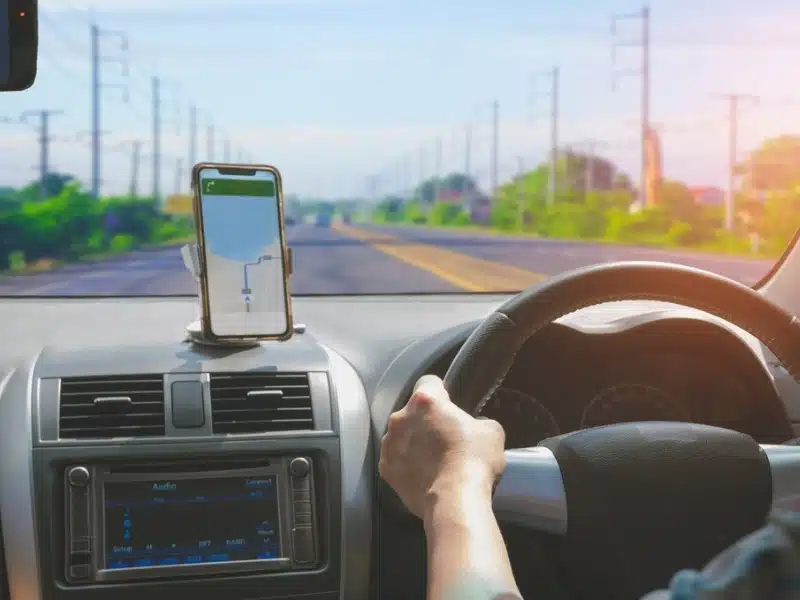
Set up the cab before the first long drive. The navigation phone should have a reliable mount, a charging cable that reaches comfortably, and a backup cable in the glovebox. If children or passengers are using devices in the back, their charging needs should not compete with the navigation phone.
A power bank is useful outside the vehicle too. City days often involve leaving the van or car parked for hours while using the phone for maps, restaurant bookings, translation and photos. If the same phone is needed to find the car park again, open the accommodation instructions or pay for public transport, battery becomes part of the day’s logistics.
It also helps to reduce app clutter. Put your road trip apps together in one folder: maps, ferry operator, toll or vignette apps, campsite apps, weather, translation, banking, parking and insurance. In the middle of a journey, finding the right app quickly is more useful than having a beautifully planned spreadsheet you cannot locate.
Use Connectivity to Avoid Bad Stops, Not Fill Every Minute
A connected road trip should not become an overmanaged one. The point is not to check every review, compare every café or reroute constantly in search of perfection. That can make the trip more tiring, not less.
Use mobile access for decisions that affect comfort, cost or safety: weather on a mountain route, fuel before a remote stretch, road closures, campsite availability, ferry changes, supermarket opening times and parking rules. For everything else, leave some room for chance.
This is especially true when driving through rural France, northern Spain, the Dolomites, Slovenia or Portugal’s interior. Some of the best road trip stops are found by following a brown sign, pulling into a viewpoint or choosing the quieter road. Connectivity should support those decisions, not remove all spontaneity from the journey.
A good rule is to plan the next practical step, not the next five hours. Know where you are sleeping, where you can refuel, and how to get there safely. The rest can stay flexible.
Prepare for the Awkward Gaps Between Places
Road trips often go wrong in the gaps: between the ferry and the first overnight stop, between a city car park and the apartment, between a mountain pass and the next fuel station, between campsite checkout and an evening arrival elsewhere.
These are the places where being connected earns its keep. You may need to extend parking, find a launderette, check whether a supermarket allows overnight parking, translate a mechanic’s message, or locate a pharmacy on a Sunday. None of this belongs in the glossy version of a European road trip, but it is part of real travel.
Before long driving days, think about your “gap plan”. Where can you stop if someone needs a break? Is there a service area before the border? What is the plan if the campsite is unsuitable? Where is the nearest town if you arrive and need food?
Having answers to those questions does not make the trip rigid. It makes it easier to stay calm when the day stops matching the itinerary.
Let the Road Trip Breathe
The best connected road trip is not the one where every mile is tracked, and every decision is made through a screen. It is the one where the essentials are handled quietly in the background, so the road can still feel open.
For European driving, that means having navigation that does not collapse without signal, booking details that do not disappear inside your inbox, a phone setup that works across borders, and enough backups to keep going when the obvious option fails.
Once those pieces are in place, you can use connectivity for what it is actually good at: solving small problems quickly, checking local details when they matter, and giving yourself more freedom to take the slower road when it looks more interesting.