This post may contain affiliate links, from which we earn an income. Click here to read our affiliate policy.
Reliable internet has become one of the most important parts of life in our truck. Whether we’re uploading videos, working online, planning routes, or simply trying to stream something in the evening, a solid connection makes a huge difference.
With that in mind, Solwise recently sent us a connectivity package built around the Teltonika RUTM30 5G router, a Poynting MiMo 4×4 roof-mounted antenna, and a Teltonika TAP400 access point. The idea was to create a flexible setup that could integrate with our Starlink and mobile network eSIMs in the future.
After several weeks of use, here’s how we’ve found it.
The equipment featured in this review was provided by Solwise free of charge. As always, all opinions are entirely our own and Solwise had no input into this article.
Enjoy The Gap Decaders? Add us as a preferred source on Google.
Why This Setup?
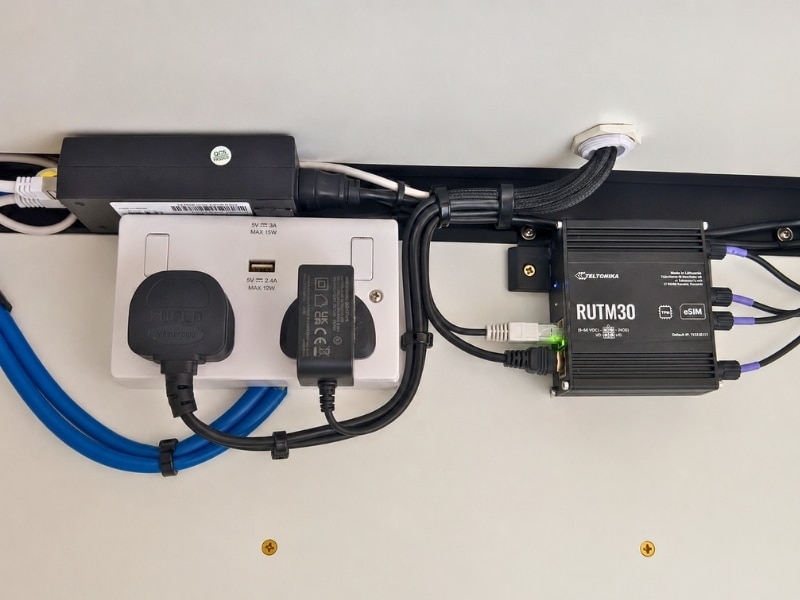
The heart of the system is the Teltonika RUTM30, a compact industrial-grade 5G router designed for mobile and remote installations. It supports dual SIMs, eSIM functionality, Wi-Fi, Ethernet connections, and automatic failover between different internet sources. One of the reasons Solwise recommended it was because it can be connected to Starlink while also providing mobile data backup, giving us multiple connectivity options depending on where we’re travelling.
The router also supports eSIMs, which is something we’re keen to explore further as we travel outside of Europe. Our next big trips are Africa and the ‘Stans, neither of which have reliable (or official) Starlink coverage. The ability to switch providers without physically swapping SIM cards could be extremely useful on longer trips, especially in countries where stopping in a town in an 18 tonne truck is a challenge.
Installation in the Truck
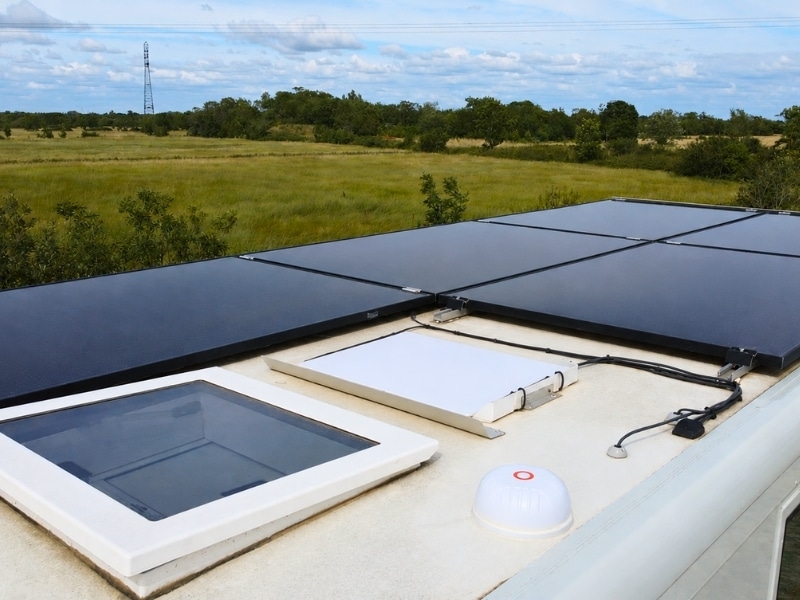
For the antenna installation, we mounted the MiMo antenna on the roof of the truck. Getting the antenna as high as possible seemed like the obvious choice and keeps it clear of most obstructions. It has added a few additional centimetres to our overall height, but we were willing to sacrifice those!
Inside the truck, we used a spare cupboard to house the RUTM30 router and associated cabling. Luckily the cupboard already had a double power socket, because the router and access point both need power. The Teltonika RUTM30 can also be adapted for 12V, and the Tap400 can be powered over ethernet if a regular socket is unavailable.
It isn’t the most glamorous installation, but it keeps everything protected, tidy, and easily accessible if we need to troubleshoot anything. Ideally, you wouldn’t want the router in a cupboard but we literally had nowehere else for it. We removed the Wi-Fi antenna it comes supplied with because we were connecting it to the TAP400 access point, but even in the cupboard (with the antenna) we were able to get a signal in the cab.
Running the MiMo antenna cables into the cupboard took a bit of planning, but once everything was connected the physical installation was relatively straightforward.
Setting Up the RUTM30
The setup process took longer than expected.
That’s not necessarily a criticism of the router. The RUTM30 is a professional-grade device with a huge range of options and configuration settings. It offers far more flexibility than the average home router, but that inevitably comes with a steeper learning curve.
For someone with networking experience, much of the configuration will probably be fairly straightforward. For us, there was definitely a period of clicking through menus, reading documentation, and trying to understand exactly how everything fitted together.
Once configured, however, the router has been stable and reliable. We’ve been testing it with Starlink and a Europe-wide Holafly eSIM and it has been pretty flawless.
TAP400 Access Point
The TAP400 was intended to extend coverage throughout the truck into the cab and create a mesh-style Wi-Fi network.
Unfortunately, this is where our experience became a little less successful.
We were unable to get the TAP400 working as a mesh access point with our setup. Whether that’s because of a configuration issue, our own technical limitations, or something we’ve overlooked remains unclear. Given the flexibility of the Teltonika ecosystem, I strongly suspect the problem lies with the person doing the setup rather than the hardware itself 😂.
Because we already knew the RUTM30 gave us a signal in the cab, we decided to keep the TAP400 connected by ethernet to the router and mount it under the cupboard. This alone was enough to extend full and stable signal to the cab.
Performance on the Road
The biggest advantage of the system so far has been flexibility.
The roof-mounted MiMo antenna gives the router the best possible chance of receiving a strong mobile signal, particularly in areas where phone reception is less than perfect, and we have seen that in action when comparing to our phone signals. The RUTM30 supports the MIMO external antenna installation specifically designed to improve mobile connectivity performance.
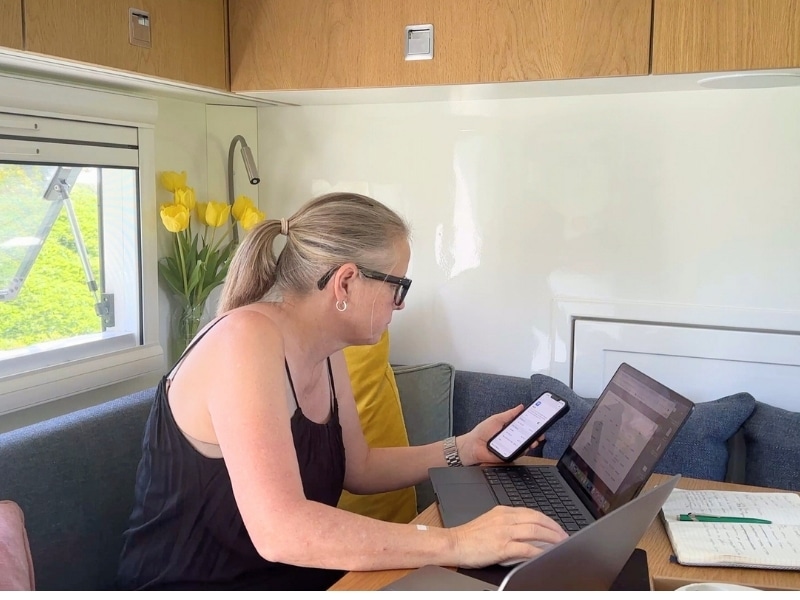
Having a dedicated router also means every device in the truck connects to the same network. Phones, laptops, tablets, cameras, and our Samsung TV all work through a single connection rather than relying on individual hotspots.
The ability to switch between Starlink, mobile data, and potentially multiple SIM providers makes the whole setup far more resilient when we’re travelling in remote locations.
What We Like
The flexibility is the standout feature.
The combination of 5G connectivity, dual SIM support, eSIM capability, external antenna support, and Starlink integration gives us options that simply aren’t available with a standard consumer router.
The hardware itself feels extremely robust and well suited to life on the road. The router is compact enough to fit neatly into our cupboard while still offering plenty of connectivity options.
What Could Be Better
The initial setup isn’t particularly beginner-friendly.
If you’re expecting a plug-and-play experience similar to a home broadband router, this isn’t it. The RUTM30 is designed for flexibility and professional deployments, and that means there are a lot of settings to work through, but if I can do it, anyone can!
Not being able to get the TAP400 mesh functionality working properly was frustrating, but we have actually achieved our objective to have full Wi-Fi coverage in hab and cab, albeit in a different way than we expected.
Final Thoughts
Overall, we’re impressed with the potential of this setup.
The Teltonika RUTM30 feels like a serious piece of kit that has been designed for people who depend on reliable connectivity. Combined with the roof-mounted MiMo antenna, it provides a strong foundation for internet access while travelling.
We’re still learning our way around some of the more advanced features and want to add a VPN to the RUTM30. The TAP400 mesh setup remains unfinished (and will probably stay that way!), but that’s part of the reality of reviewing technology in a real-world truck environment.
For now, the biggest takeaway is that this system gives us options. Mobile internet today, Starlink integration tomorrow, and enough flexibility to adapt as our connectivity needs change.